The workflow
The workflow is the plan the crew follows: every task, which tasks it waits for, and where it stops for your sign-off. It is written down in advance, so the Workflow Orchestrator always knows what can run next, and you can see the whole plan on one page.
Phases
A film project goes through twelve phases. The first five build the world and the first screenplay; from phase 6 on, the work is done episode by episode.
| Phase | Name | What happens | Ends with |
|---|---|---|---|
| p0 | Ingest & Setup | The project is set up, the workflow is created, and the novel is scanned and parsed in batches of chapters. | Automatic gate |
| p1 | Story Understanding | Story structure, events and timeline, worked out in parallel. | Automatic gate |
| p2 | World Bible | Nine worldbuilding agents work in parallel; the Memory / Bible Agent merges their results. | H1 World bible sign-off |
| p3 | Characters & Assets | Characters (appearance, personality, relationships, growth, voice, way of speaking), creatures and mounts, scenes, environments, architecture and lighting. | H1A Characters & assets sign-off |
| p4 | Art Style | Art direction, character and costume concept art, prop cards, costumes, colour script and aspect ratio. | H2 Art style lock |
| p5 | Screenplay Adaptation | Runs alongside p4. The episode plan, then for each episode the screenplay, dialogue, narration, hooks, pacing and script breakdown. | H3 Screenplay sign-off (episode 1) |
| p6 | Directing & Storyboard | Per episode: images for the scenes, props and creatures this episode needs, the director's plan, the storyboard, the shot list, per-shot camera movement, composition, cinematography and blocking, an optional 3D whitebox, continuity and transitions. | H3S, H3W (whitebox only), H3A |
| p7 | Visual Generation | Per episode: video prompts, anchor images, character consistency, group videos with their native sound, optional dubbing, lip sync and upscaling. | H3V, H3B |
| p8 | Audio | Per episode: sound-effect and ambience cues, voice samples and the narration track (before the videos), then music and the final mix. | Automatic gate |
| p9 | Editing & Assembly | Per episode: edit, transitions, subtitles, captions, titles, thumbnail and post-production. | H3P, H4 First-episode final cut sign-off (episode 1) |
| p10 | Final Review | Per episode: the eight QA reviews, in parallel. | H5 Release sign-off |
| p11 | Publish | Packages, SEO text and metadata for each platform, then publishing. |
What you check at each sign-off is described in Sign-off gates. Other project types follow their own workflows with their own phases; see Project types.
Tasks and dependencies
Inside each phase, the work is split into tasks. Each task belongs to one agent, produces known files, and lists the tasks it depends on. Tasks whose dependencies are all done can run at the same time; the rest wait. This network of tasks and dependencies is the project's workflow graph.
The Workflow Orchestrator follows the graph: it dispatches the tasks that are ready, waits for their results, records each task's state, and raises a sign-off card when it reaches a gate.
Some tasks only exist when a setting turns them on. For example, the 3D whitebox steps and the H3W sign-off appear only when the whitebox is on in 🎛️ → Output Settings, and transition design appears only when the transition mode is not Minimal.
One plan per episode
When the project starts, the per-episode phases are placeholders. Once the episode plan has been approved, the Workflow Orchestrator expands them into real tasks for each episode, named with the episode, such as p6-shots-ep01, each episode with its own sign-offs.
Episodes are made in order, one at a time, by default: the next episode starts only when every task of the current one has finished. Within an episode, tasks still run in parallel. With Multi-episode parallel turned on under ⚙️ → Advanced → Agent Advanced Settings, episode 1 goes through the whole chain first as a pilot, and the later episodes then run in parallel.
Follow it on the Workflow Preview page
Open the preview menu (the picture icon in the top bar) and choose Workflow Preview.
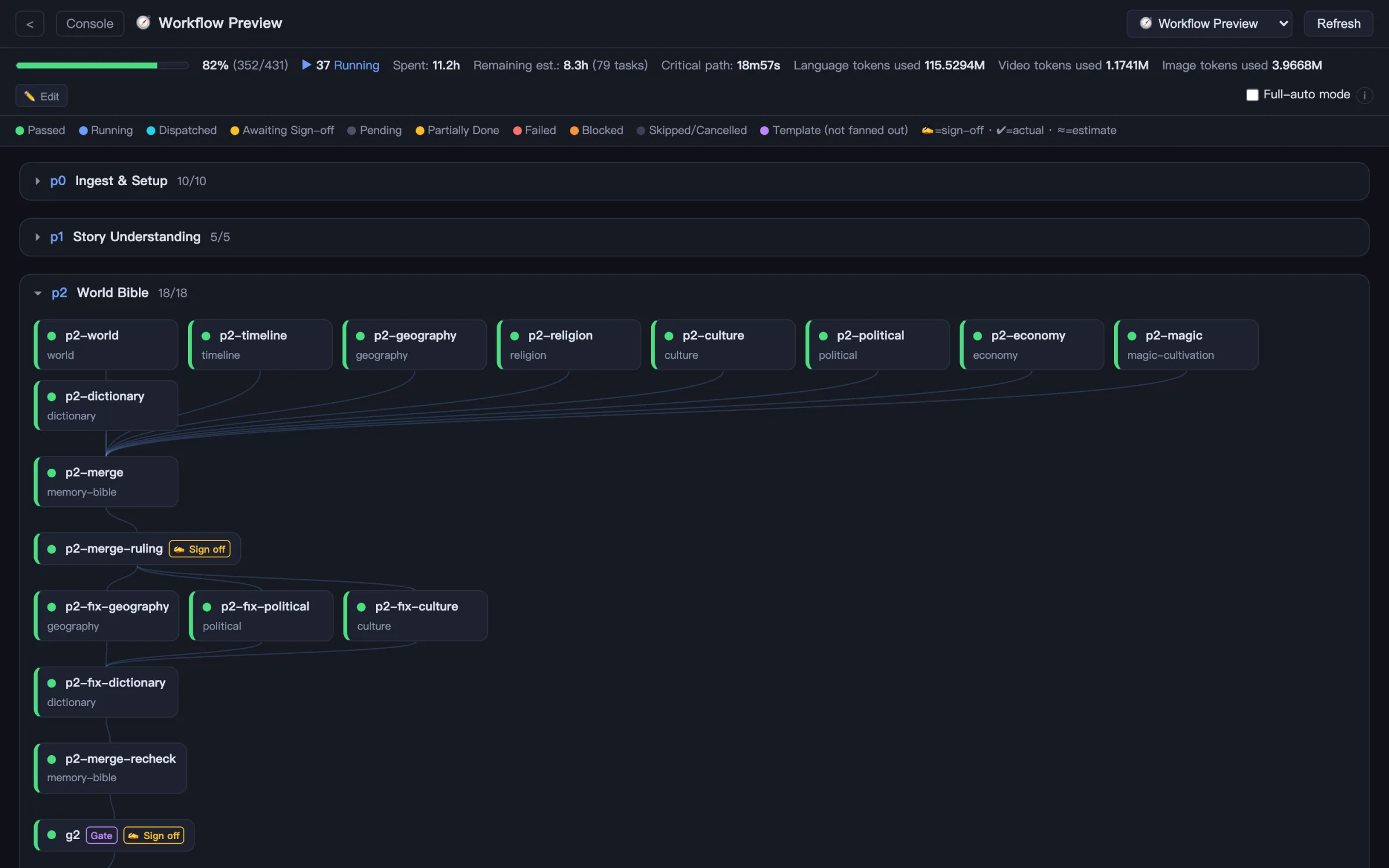
- The summary row shows overall progress, how many tasks are running, time spent, the estimated time remaining, the critical path, and the language, video and image tokens used.
- The legend explains the colours: Passed, Running, Dispatched, Awaiting Sign-off, Pending, Partially Done, Failed, Blocked, Skipped/Cancelled and Template (not fanned out). ✍️ marks a sign-off, ✔ an actual time and ≈ an estimate.
- Each phase is a row you can open and close. Finished phases start closed. Inside, tasks are laid out in layers: tasks in the same layer can run in parallel, and lines show dependencies.
- A task with ×N stands for N instances of the same task, for example one per generation group, with a small bar showing how many are done.
Click a task to see its details on the right: status, agent, phase, actual and estimated time, dependencies (click one to jump to it), output files and notes.
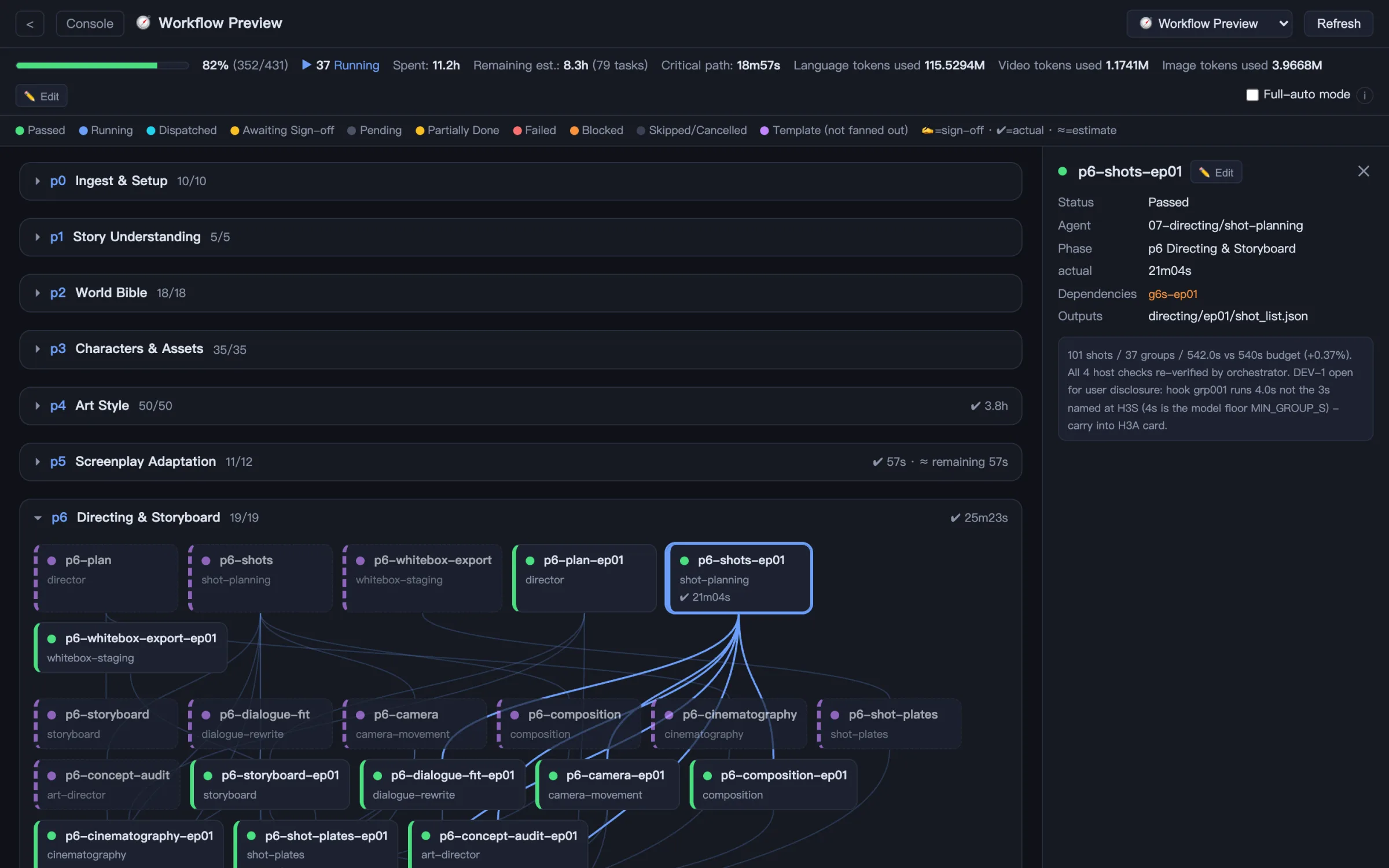
The dashed purple steps are the templates; the solid ones next to them are the real tasks for episode 1.
Change the plan
- ✏️ Edit in the summary row sends a change request for the whole workflow to the Workflow Orchestrator, which edits the plan.
- ✏️ Edit in a task's details sends a note about that task to the Workflow Orchestrator.
To change something an agent produced, use the ✏️ Edit buttons on the preview pages instead. See The Reviser and revision notes.
Keep it moving
The workflow doesn't run on a timer. The Workflow Orchestrator works when it is given a message, and stops when it is waiting for you or has nothing left to dispatch.
| To | Use |
|---|---|
| Ask it to carry on now | ▶ Continue in the Run Panel |
| Have it carry on by itself after the project has been idle for a while | 🤖 auto-run in the Run Panel. See Auto-run. |
| Stop all running and queued tasks | ⏹ Stop in the Run Panel, or /stop all |
| Remove manual sign-off for this project | Full-auto mode on the Workflow Preview page. See Sign-off gates. |
Quality checks along the way
Each task's result goes through up to three checks before the next task uses it:
- Machine checks: file formats, durations, resolutions, required fields and other rules that can be tested automatically.
- A score from the Evaluation Agent against a rubric. It runs only when Quality judge in 🎛️ → Review Settings is above 0.
- QA review by the QA agents, at the strength set for each area in Review Settings.
Work that fails is sent back with notes as many times as the retry count allows (0 by default), then handed to you. A gate passes only when no open blocker or major defect is left, or you have waived it.