Issues to submit
While agents work, they sometimes find that a problem is not in your project but in VideoAgents itself: a bug in the app's code, or a feature the app is missing. They write these up as issues and collect them for you. You decide which ones to send to the developers, which helps fix them in a future version.
Open the list
Click Issues to Submit at the bottom of the agent list. The orange number shows how many issues are waiting; it is updated every minute.
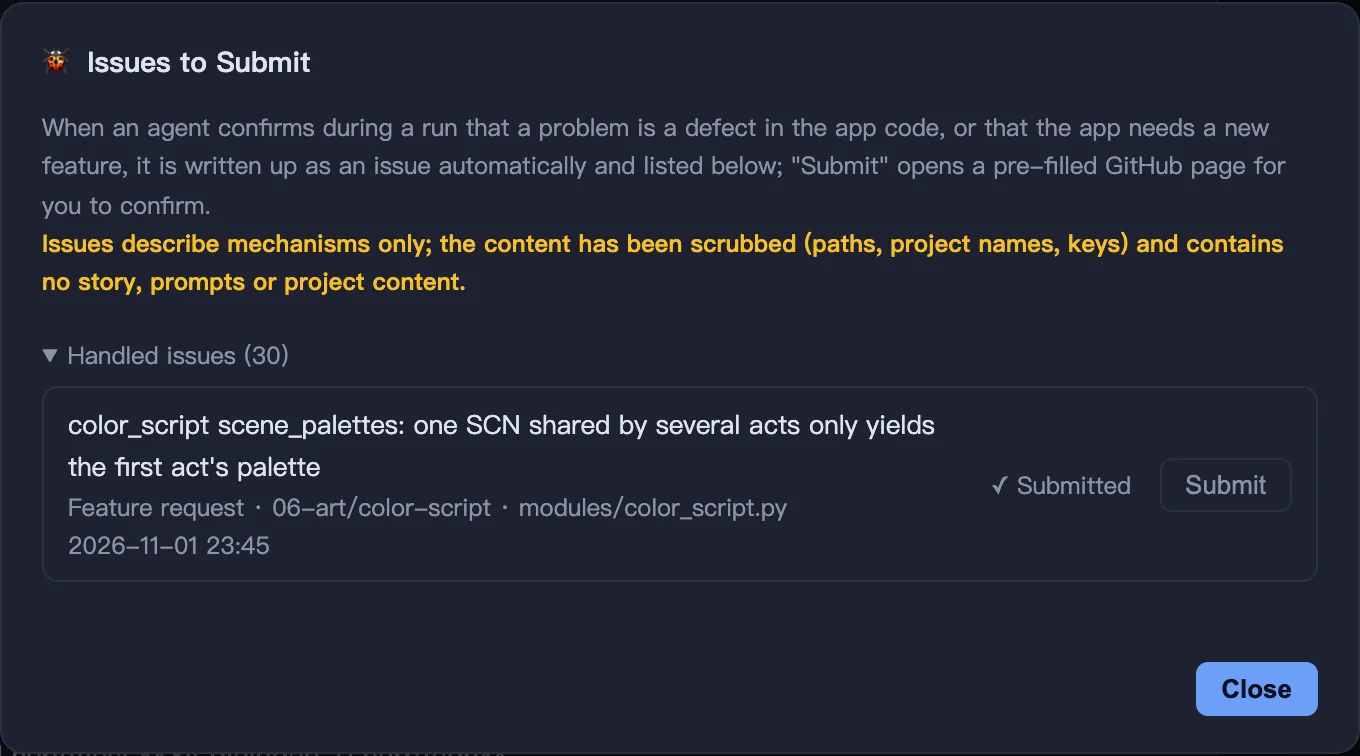
Each issue shows:
- Its title (a link when it is already on GitHub).
- Whether it is a Host defect (a bug) or a Feature request, the agent that found it, and the part of the app it concerns.
- When it was written.
- Its state.
Issues you have not dealt with are listed first. Issues already sent are folded under Handled issues.
Submit an issue
- Read the issue.
- Click Submit. A pre-filled "new issue" page opens on the VideoAgents GitHub repository.
- Check the text and post it from your GitHub account.
Nothing is posted without you: GitHub does not accept anonymous issues, so you always confirm on GitHub. After you click Submit, the issue moves to Handled issues. You can still click Submit there again.
| State | Meaning |
|---|---|
| … To submit | Waiting for you |
| ✓ Submitted | You opened the GitHub page for it |
| ✓ Published | Posted to GitHub directly |
| ≡ Same issue already exists | An identical issue is already on GitHub |
| ✗ Publish failed | Direct posting failed; the error is shown |
What an issue contains
Issues describe how the app behaved, nothing more. Before an issue is listed, paths, project names and keys are removed, and it contains no story, prompts or project content. Identical issues are merged into one. The report also notes your VideoAgents version and whether you use the desktop app or the browser.
Still, read each issue before you post it: once on GitHub it is public.
Post issues automatically
For a setup without anyone at the screen, set the environment variable VIDEOAGENTS_GITHUB_TOKEN to a classic GitHub token with the public_repo scope. VideoAgents then posts issues directly, the dialog says so, and a ↻ Republish unsent button retries the ones that failed.