Motion graphics
A motion graphics project makes a short film without any video generation model. The agents write the film as a web page in the style you pick, a headless browser renders it frame by frame, and it gets a narration, music composed in code and sound effects timed to what happens on screen. It suits product launches, explainers, data stories and brand films. 30 to 60 seconds works best.
Because the picture is code, a change means editing the code and re-rendering only the sections that changed, at no generation cost.
Before you start
- A strong agent engine. The picture and the music are both written as code, so the engine's ability decides the quality of the film. The styles were tuned with Claude Opus; other models may not reach the same result. Under smart assignment, the four creative agents of this type use the high-tier model.
- A TTS channel on ⚙️ → Generation Models, if you want narration.
- A music model on the same page, only if you choose to generate the music with it.
Create a motion graphics project
Click the project name in the top bar, then + New Project….
Step 1/4 · Project type: click Motion graphics, then Next.
Step 2/4 · Basic info:
Field What to enter Project name Letters and digits only Topic / script What the film is about: a topic description, key points, data or a finished script. Saved to refs/text/transcript.txtAssets (optional) Logos, product photos, fonts, recordings, music, video or text files. They go into the project's reference files: images to Other, fonts to Font, audio to Audio, video to Video, text and PDF to Text Content Positioning Who it's for, the one message, names, products or numbers that must appear, the narrator's voice and tone Fill in at least one of Topic / script and Content Positioning. Only add logos, photos, fonts and recordings you have the right to use.
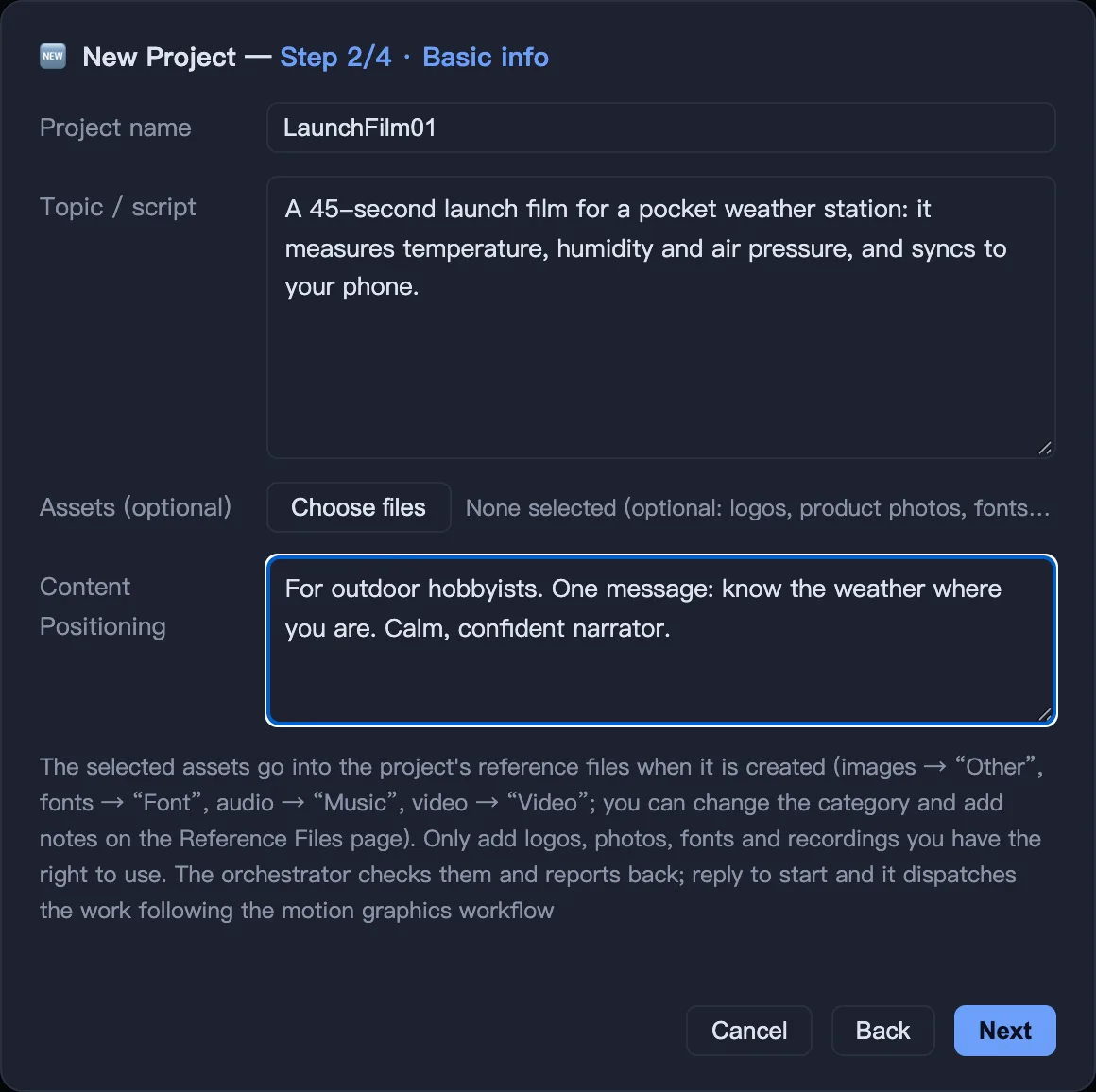
Step 3/4 · Style: pick one style. This step is required.
- Full styles (59): each has a complete style guide and a demo film. Filter them by category: Edit & Documentary, Evidence Films, Hand-drawn & Painting, East Asian Traditions, Print & Printmaking, Graphic & Type, Information & Keynote, Cartoon & Anime, Games, Cinema & Eras, Materials & 3D. Each card shows a frame, the name, typical uses and whether it is 2D or 3D.
- Light styles · OPUSCAR 98 (98): short style prompts, one per Best Picture winner, filtered by era (1927–1938 up to 2020–2025). They have no full guide or demo, so the director fills in what the prompt doesn't say. The original film's characters, plot and title, and Clawd, the character in the cover frames, never appear in your film.
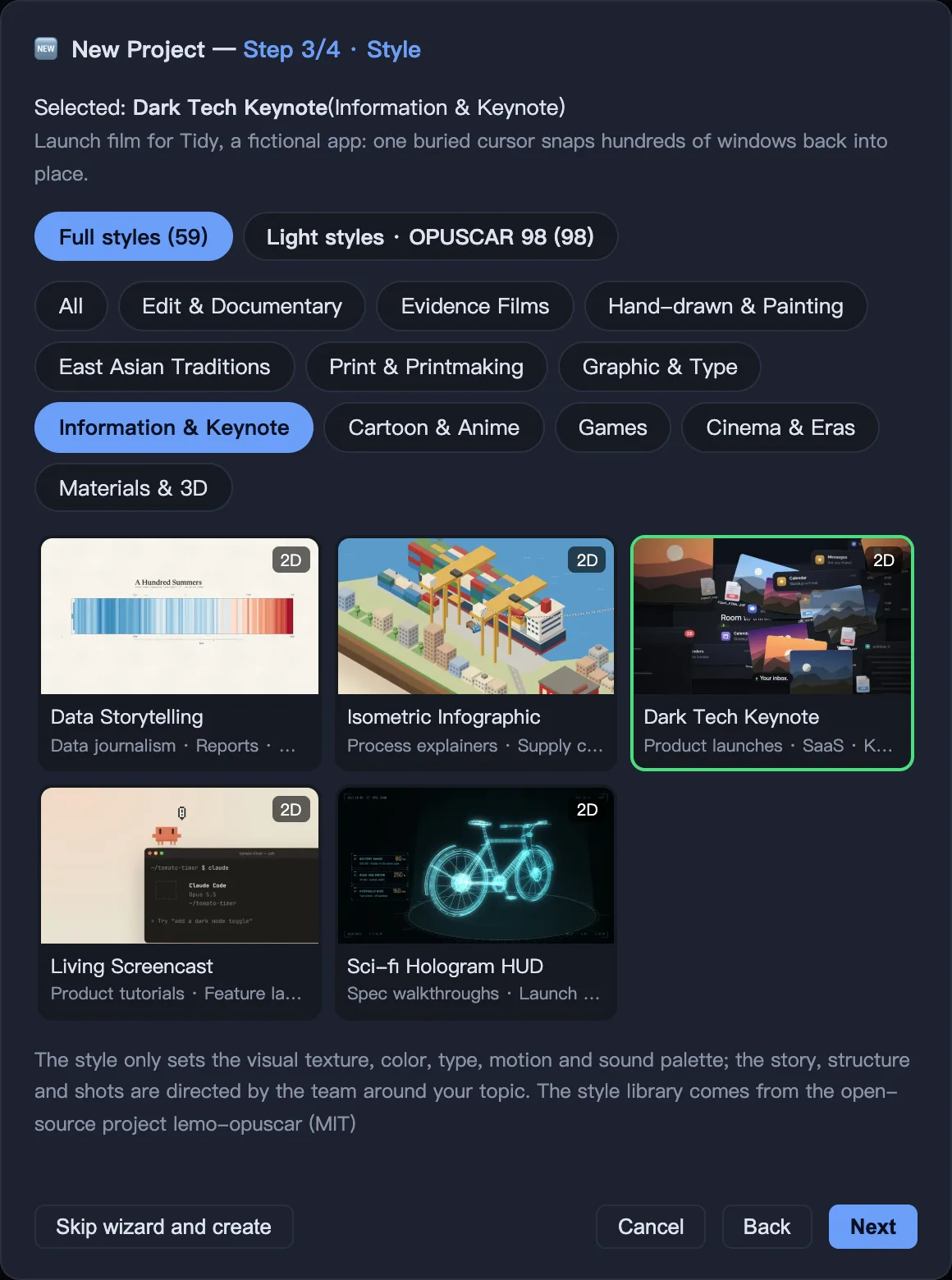
The style sets the look, colour, type, motion and sound palette. The story, structure and shots are directed around your topic.
Step 4/4 · Output Settings:
Setting Default What it does Output Aspect Ratio, Output Language, Final-cut resolution As in other projects Frame shape, language of narration and text, render size Target length (s) 45 5 to 600 seconds. 30–60 s works best; beyond 2–3 minutes, time and token use grow several-fold Frame rate The style's own rate 24, 25, 30 or 60 fps. Set from the chosen style; you can change it. 60 fps renders 2.5 times as many frames as 24 Narration On Synthesised with your TTS settings, in a fixed narrator voice Subtitles On Designed in the style and drawn into the picture; an .srtfile is exported tooReview storyboard first On Renders 6–9 key shots with the real drawing code for your sign-off (CVH1) before the sound and the full picture Music Code composition Code composition writes the score on a beat grid and renders it with sampled instruments and synths. The other two options generate the music with your music model, or pick a track from the project music library or your own music; either way the picture's cuts are then moved onto the beats 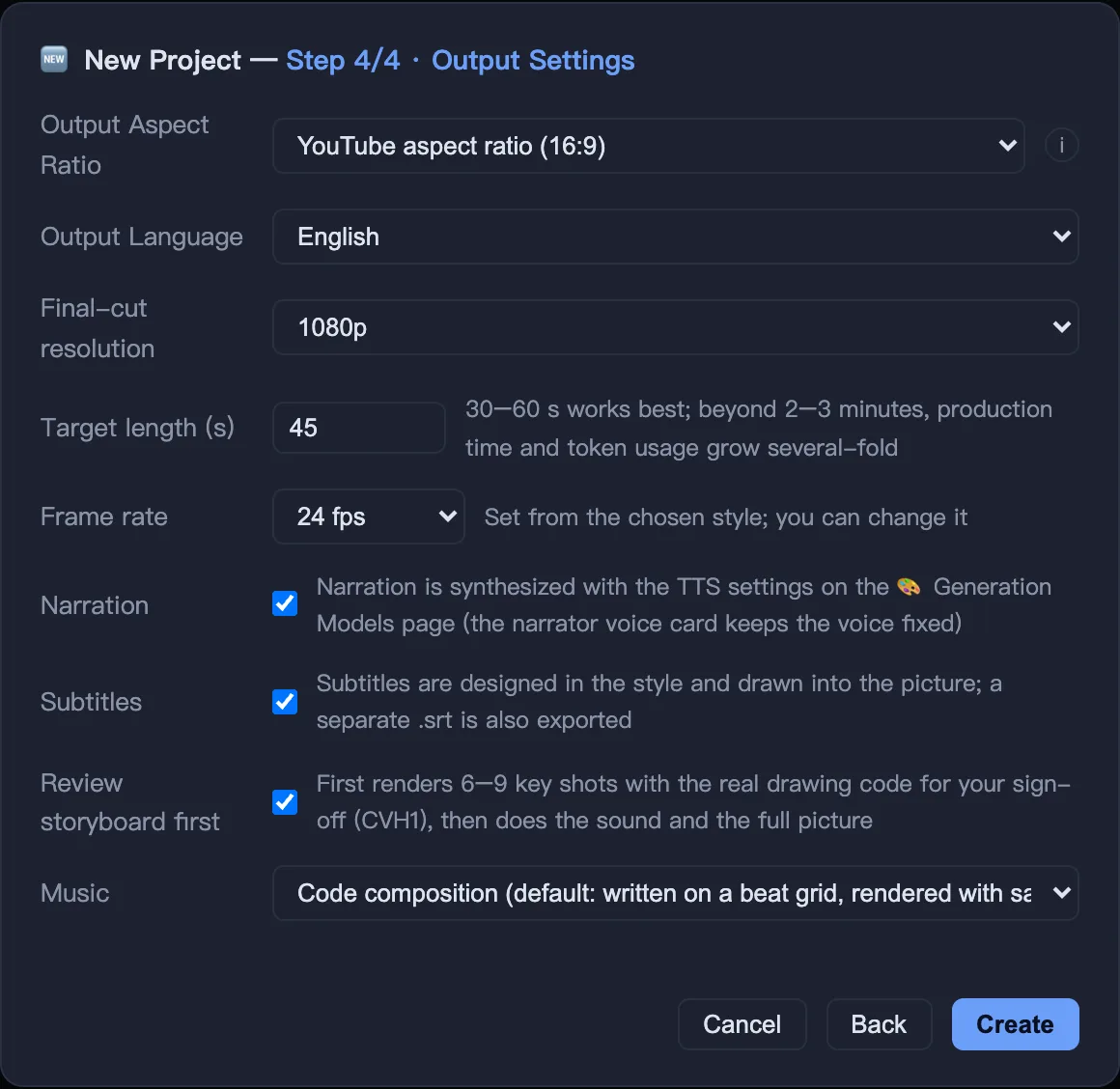
Click Create. The Workflow Orchestrator checks your inputs and reports back. Reply in the chat that it can start.
Workflow and sign-offs
| Stage | What happens | Your sign-off |
|---|---|---|
| cv0 Setup | The Film Director checks the rendering tools and locks the style | — |
| cv1 Treatment | The Film Director writes the treatment (three candidate structures, shot list, beats, music cues, sound and subtitle design) and the timeline. The Scene Coder draws style frames and renders 6–9 key shots into the storyboard | CVH1 storyboard, if Review storyboard first is on |
| cv2 Voice and music | Narration line by line; the Code Composer writes the score, or fits the chosen track to the film's length and finds its beats | — |
| cv3 Picture | The Scene Coder writes the page engine and the code for each section, then each section is rendered | — |
| cv4 Mix and master | The Sound Designer adds sound effects and ambience, mixes, writes the credits and makes the final video at −14 LUFS | — |
| cv5 Final review | Code Video QA runs every check and reviews the film | CVH2 final video |
The agents are in the Motion graphics group of the left panel: Film Director, Scene Coder, Code Composer and Sound Designer, plus the Code Video QA reviewer.
The finished video is edit/ep01/final.mp4, with subtitles.srt and a poster frame next to it. The film's source (the page, timeline.json, TREATMENT.md, music and mix scripts) is in the project's codevideo/ folder.
Watch and fix the film in Code Preview
In a motion graphics project, the top bar shows the 🖥️ Code Preview icon. The page plays the film's web page live, so you can see any moment without rendering.
- Play and scrub: ▶ plays and pauses (Space). The arrow buttons step one frame (← and →; with Shift, one second). Drag the timeline to draw that frame at once. The timeline marks sections, shots and hits, and the beat grid when the music came from outside.
- Options: Sound (mix.wav) plays the mix along with the picture; Show text boxes (TEXTS) outlines every piece of text on screen. ↻ Reload page reloads the film after its code has changed.
- Sections & rendering: each section is Rendered, Stale or Not rendered. Render renders one section; Render changed sections renders only the stale ones; Re-render all renders everything.
- Notes: move to a moment, write what should change and click Add note at current time. When you are done, click 📨 Submit notes. All notes go to the Reviser as one change order: it edits the code, updates the timeline and re-renders only the changed sections. The notes are then cleared.
Playback speed on this page depends on how long the page takes to draw each frame; it does not show the final frame rate.
Notes written on the storyboard pages also go to the Reviser as timestamps. On the 🎚️ Post-production page, only SFX & sound changes are available for these projects, and the Director Console icon is hidden because there is no 3D set.
Good to know
- Cost: only the narration (and the music model, if you chose it) costs money. Picture, code-composed music and sound effects are free. Engine usage still grows with the film's length.
- Instrument samples: code composition uses sampled instruments that are downloaded when first needed (five packs, 70 to 400 MB each). Manage them on the Code composition tab of ⚙️ → Generation Models. Offline, only synthesised sounds are available.
- Edit & Documentary and Evidence Films are made from real archive footage, documents and data. Your own material is used first. Other material is found online, and only CC0, CC BY or public-domain sources are used without asking you; every file is logged with its source and licence in
codevideo/SOURCES.mdand the credits. Evidence Films also keepcodevideo/FACTS.mdwith a source for every fact stated. These two categories need an internet connection to find material. - Copyright: reference films and demos are only learned from, never copied. Brands, games and real events only appear if you own them or have the right to use them. Your film carries no LemoLab, Claude or Opus credit.
- One film per project (
ep01). Make more films in more projects. - Listen to the narration yourself. It is not checked by speech recognition.
- Beat sync assumes a steady tempo. Music that speeds up, slows down or changes metre will not line up well.
- Rendering speed depends on the page and your GPU: a 2D page renders about 15–20 frames per second on Apple silicon (1080×1920); 3D styles are slower.
TIP
Motion graphics arrived in v1.0.40 under the name "demo video" and was renamed in v1.0.44, which also brought the full style library to 59. The v1.0.40 release notes said that rendering on Windows had not been tested yet.