NSFW mode
Many providers refuse mature content such as nudity or graphic violence, even when the story calls for it. NSFW mode lets you name fallback models for these scenes. Flagged work goes straight to the fallback models, and a content rejection from the main provider can switch to them automatically.
NSFW mode only decides which models are used. It does not relax the content-safety review, the platform rating checks or any provider's own rules.
Open NSFW mode
Open ⚙️ → Advanced → NSFW mode. Settings in this dialog save as soon as you change them.
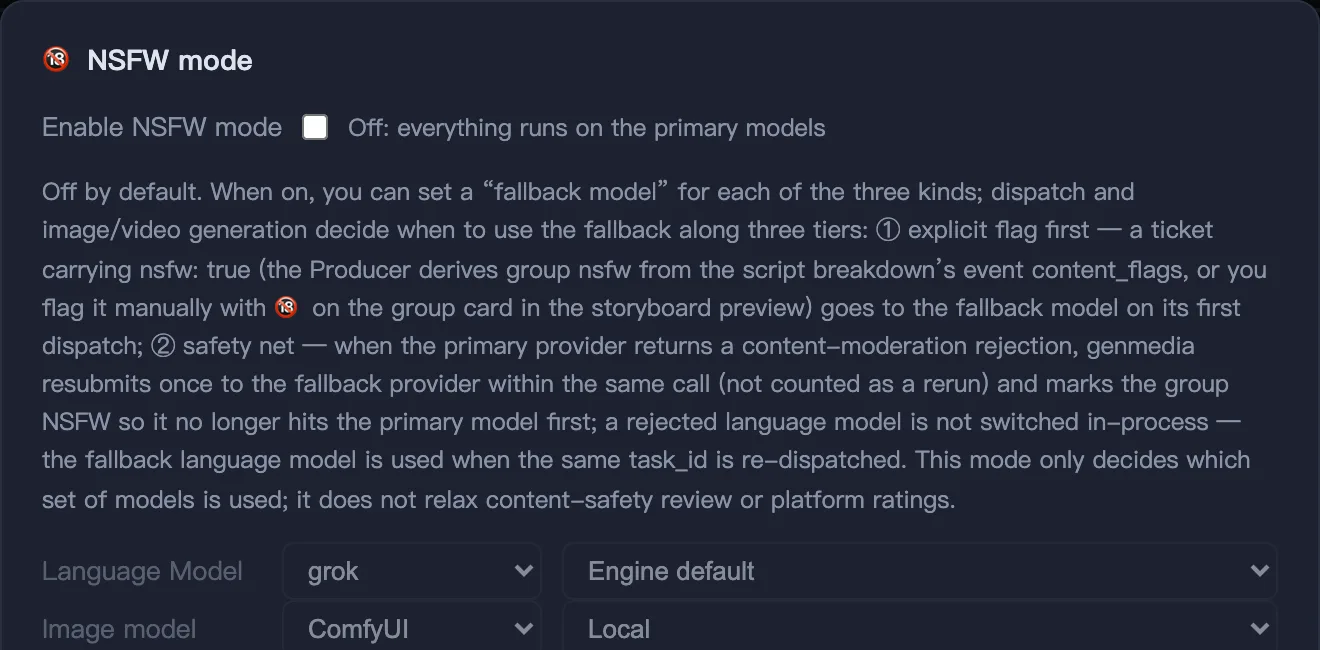
Set it up
Tick Enable NSFW mode. The status next to it changes from Off: everything runs on the primary models.
Set a fallback for each kind of model you need:
Row First menu Second menu Language Model An engine A model, or Engine default Image model A provider A model, or Provider default model; for ComfyUI, a run mode Video Model A provider A model, or Provider default model; for ComfyUI, a run mode Leave a row on Not set to keep that kind on the main model.
Leave Auto-switch after moderation rejection ticked if a rejection should retry on the fallback provider.
Only providers that already have a key on the Generation Models page can be picked; the others are greyed out and marked (no Key) (or (not signed in) for Agentics). For Agentics and RH image fallbacks, the models are the ones set on the Generation Models page.
How work is routed
- Flags first. When the screenplay is broken down, each event is marked with content flags (nudity, sex, gore, extreme violence, drugs, self-harm). Shot planning marks the generation groups that contain those events as NSFW. You can also flag a group yourself with the 🔞 button on its card on the Storyboard Preview page. Work on a flagged group runs on the fallback language model from the start, and its images and videos use the fallback providers.
- Rejection safety net. If Auto-switch after moderation rejection is on and the main image or video provider rejects a request for its content, the same request is sent once to the fallback provider. This does not count as a retry. The group is then marked NSFW, so later attempts go straight to the fallback.
- Language model refusals. A refused language-model run is not switched mid-run. VideoAgents notes the refusal, and the next time the same task is dispatched it runs on the fallback language model.
If a fallback provider is set but can't be used (for example its key was removed), the job fails and asks you what to do. It never runs on the main model instead.
When text in a group looks sensitive but the group is not flagged, the Storyboard Preview shows a yellow hint on it. The hint never changes routing by itself; click 🔞 to flag the group.
Detect refusals with a moderation model
By default, a language-model refusal is only recognized by stock phrases such as "can't assist" or "violates the content policy". Use moderation model to detect refusals adds a check for refusals in other words.
When it is on, only runs that finished normally with a short reply and no deliverable (a work order that wrote no files, or a Canvas retouch job without a prompt) have their last reply checked once by the moderation model. Only the end of the reply is sent, never your request or images. Each check is billed, about $0.00003 with Jev.
The switch can't be turned on until a moderation model is set up. The line next to it names the model in use.
Set up the moderation model
On ⚙️ → Generation Models, find the 🛡 Moderation model card.
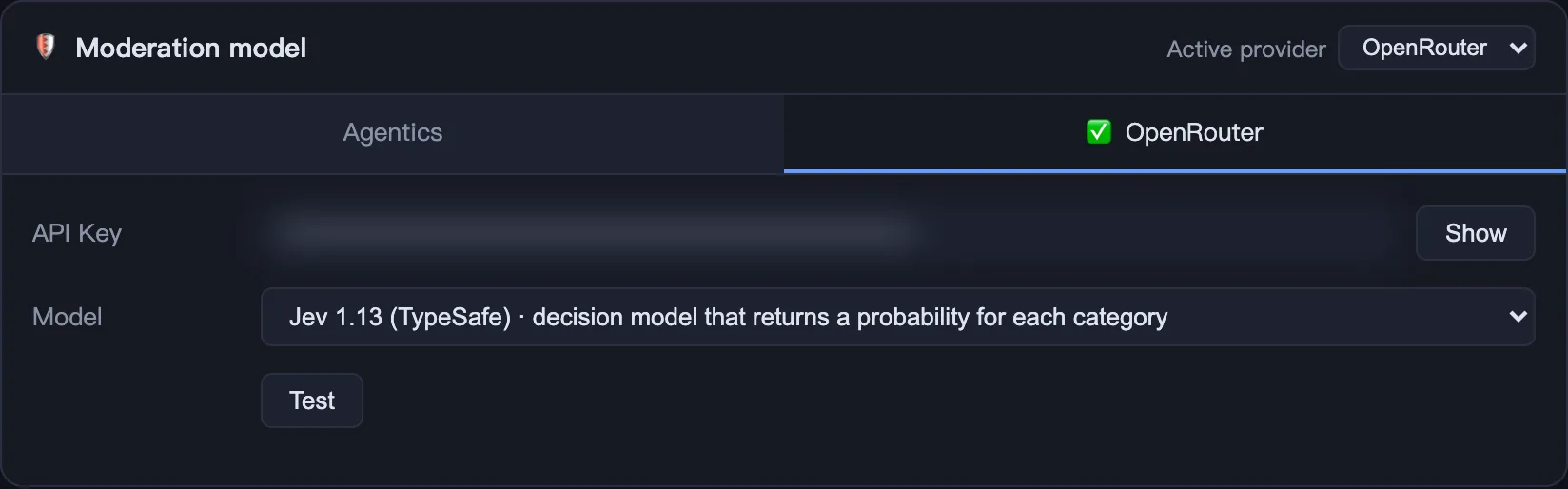
| Tab | What you enter |
|---|---|
| Agentics (default) | Nothing; uses your signed-in desktop account |
| OpenRouter | API Key |
Pick the Model: Jev 1.14 (default) or Jev 1.13, decision models from TypeSafe. Click Test to judge one sample refusal (billed, about $0.00003). It should report that the sample was judged as a policy refusal.
Canvas edits
While NSFW mode is on, the Canvas toolbar shows a 🔞 NSFW button. Turn it on for an image to send its edits and upscales to the fallback image model; the choice is remembered per image in your browser. Turning it on also sends edits straight to the image model instead of through the Canvas Retouch Agent. See Canvas: edit an image.
Good to know
- A clip that used the fallback records it in its
.meta.json. - NSFW mode is a global setting for all projects.