Voice models
The voice model (text to speech) speaks character dialogue and narration, and in voice design mode it also creates each character's voice sample. You pick one provider for the app; each provider works in one or both voice modes.
Open the settings
- Open ⚙️ → Generation Models.
- Find the 🎙 TTS Voice Model card.
- Click a tab to see or edit a provider's settings, then choose the provider to use in Active provider in the card's title bar.
Changes save automatically.
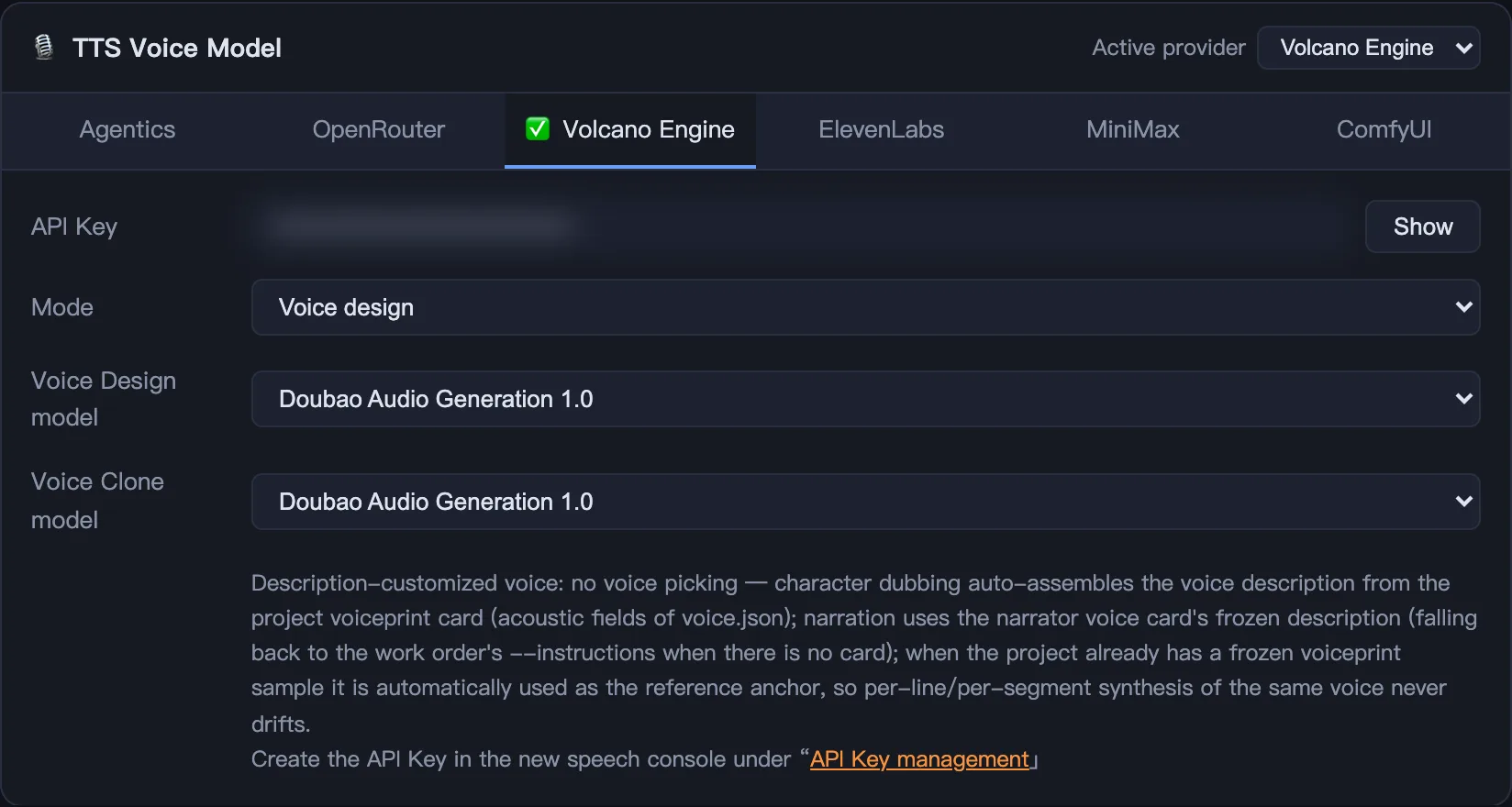
Two voice modes
Each provider tab starts with Mode:
| Mode | How voices are made | What you set |
|---|---|---|
| Voice design | A Voice Design model creates a voice sample from the written description of each character's voice. A Voice Clone model then speaks every line with that sample as the reference, so one character keeps the same voice | Both models |
| Voice library | The system fetches a library of ready-made voices, picks one for each character from the character's voice card, and records the choice in the project's casting table | The Voice library source and a Model |
You never pick voices by hand on this page. In voice library mode the casting happens automatically; see Voices for how characters get their voice cards.
Providers
| Tab | Modes | What you enter | Defaults |
|---|---|---|---|
| Agentics | Voice design, voice library | Nothing; sign in. Pick a Voice Design model and a Voice Clone model | Voice design with qwen3tts-voicedesign and qwen3tts-clone |
| OpenRouter | Voice library only | API Key, Model | Grok Voice TTS 1.0 |
| Volcano Engine | Voice design, voice library | API Key from the new speech console; for voice library also Access Key and Secret Key | Voice design with Doubao Audio Generation 1.0; library model Doubao-Seed-TTS 2.0 |
| ElevenLabs | Voice library only | API Key, Model | Eleven v3 |
| MiniMax | Voice library only | API region, API Key for that region, Model | Speech 2.8 HD |
| ComfyUI | Voice design, voice library | Run mode and workflows; see ComfyUI | Voice library |
New installs use Agentics as the active provider.
Provider notes
Agentics. In voice library mode, the Voice library is Local (data/TimbreModel): the system picks a reference clip from the local voice library for each character, and the Voice Clone model speaks with it.
OpenRouter. The voices are the ones built into the selected model. Models without a public voice list (such as Fish Audio) can't be used. The menu shows recommended models first (⭐): Grok Voice TTS, Gemini 3.1 Flash TTS, MiniMax Speech 2.8, Fish Audio, Qwen Audio TTS, MAI-Voice-2, Deepgram Aura-2, Voxtral, Kokoro and others.
Volcano Engine (Doubao speech). The API key comes from API Key management in Volcano's new speech console, not from Ark. In voice design mode, character voices are described from each character's voice card, and narration uses the narrator's voice card. Once a project has a voice sample for a character, it is used as the reference so the voice does not drift between lines. Voice library mode also needs your account's Access Key and Secret Key (from API access keys in the Volcano console) to fetch the voice list.
ElevenLabs. Only voices already in your ElevenLabs account are used. Add voices from the public Voice Library to your account first. Models: Eleven v3 (default; emotion through [audio tags] in the text), Multilingual v2, Turbo v2.5 and Flash v2.5.
MiniMax. The global site (minimax.io) and the China site (minimaxi.com) have separate accounts and keys. Set API region to the site your key came from; each region's key is saved separately. Models: Speech 2.8 HD and Turbo, Speech 2.6 HD, Speech 02 HD.
ComfyUI. Voice design mode uses two workflows, Voice Design API and Voice Clone API; voice library mode only uses Voice Clone with reference clips from the local voice library. The recommended template is tts-indextts2-api.json (IndexTTS-2); tts-qwen3tts-voicedesign-api.json and tts-qwen3tts-clone-api.json are bundled too.
Where the voice model is used
- Character voices: in voice design mode, the voice sample for each character. See Voices.
- Narration: the narration track, when Narration is on in 🎛️ → Output Settings.
- Dialogue: with Dialogue voice set to Post-production dubbing, each line is spoken by the voice model and fitted to the picture. With the default, Native video audio (default), the video model speaks the dialogue itself. Generate dialogue speech keeps a line-by-line voice library for animatics and whitebox previews either way. See Dialogue, voices and narration.
- Audio drama and audio to video projects rely on it heavily. See Project types.
Troubleshooting
Voice library mode can't find voices on Volcano Engine. Fill in Access Key and Secret Key on the Volcano Engine tab. The API Key alone only covers speech generation.
MiniMax says the key is invalid. Check that API region matches the site where you created the key.
An ElevenLabs character gets an unexpected voice. Automatic casting only uses voices in your account. Add the voices you want to your account.