Project skills
Skills are extra instructions an agent can follow for a particular task, such as writing prompts for one video model or directing a performance. Project skills decides which of them agents apply on their own in this project, and keeps a record of every time they did.
Open Project skills
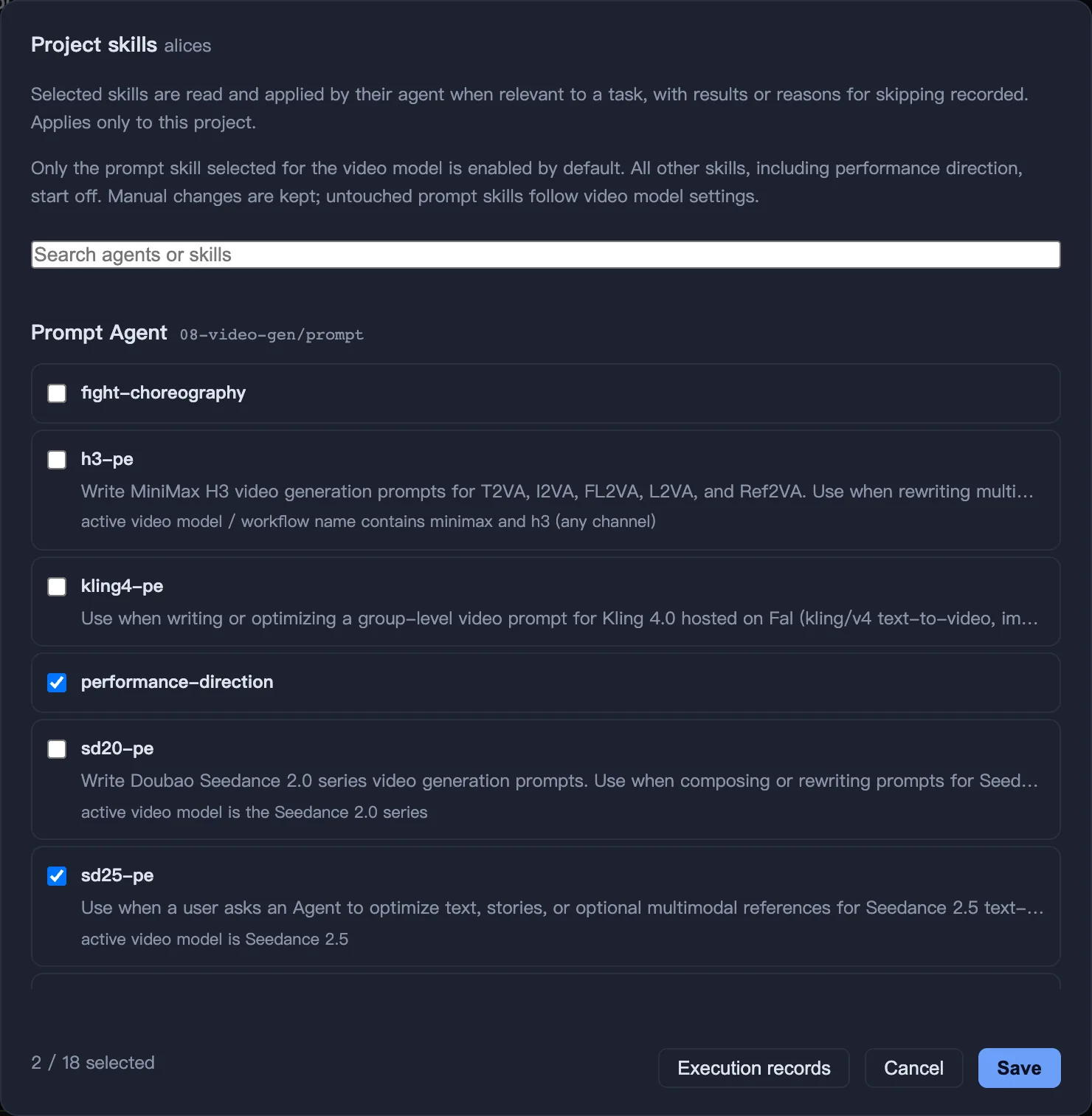
Open 🎛️ → Project skills. The list shows every installed skill, grouped by agent, with a one-line description and, for skills that apply only in some cases, the condition.
Choose skills
- Tick the skills you want agents to apply in this project; untick the ones you do not. Type in Search agents or skills to filter by agent, skill name or description.
- Check the count at the bottom, for example 2 / 18 selected.
- Click Save. Only the boxes you changed are saved.
A ticked skill is read by its agent when it fits the task at hand, and the agent records whether it used it or why it skipped it.
What is on by default
Only the prompt skill that matches the project's video model starts ticked. Every other skill, including performance direction, starts off and must be turned on. Your own changes are kept; prompt skills you have not touched keep following the video model setting in Model limits.
Labels
| Label | Meaning |
|---|---|
| Disabled globally | The skill is switched off for the whole app; you cannot tick it here |
| Not installed | The skill is ticked in this project, but its SKILL.md is gone (removed, or lost in an upgrade). Agents treat it as not selected. Untick it and save to remove it from the project. |
The setting applies only to the current project and is saved in its settings.json.
Execution records
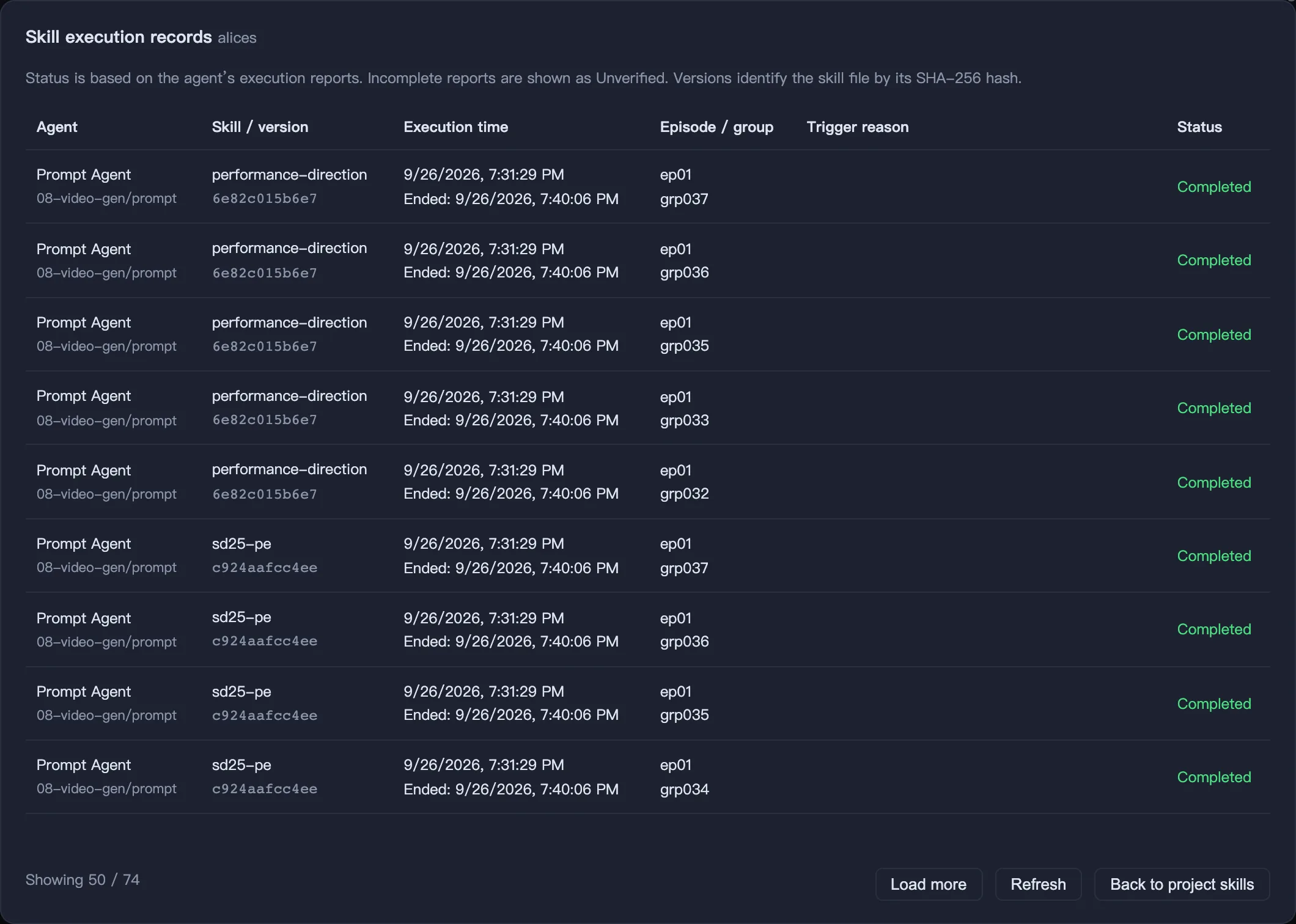
Click Execution records to see each time a ticked skill was used in this project.
| Column | What it shows |
|---|---|
| Agent | The agent that used the skill |
| Skill / version | The skill name and the first characters of its version. The version is the SHA-256 hash of the skill file when the run started, so you can tell when a skill file changed. |
| Execution time | When it started and ended |
| Episode / group | The episode and shot group it was used for (empty for project-level tasks) |
| Trigger reason | Why the skill applied, in the agent's words, for example that the group has dialogue |
| Status | Pending, Running, Completed, Skipped, Failed or Unverified |
Good to know:
- Status comes from the agent's own reports. A run that did not report properly shows Unverified; reading a skill file, or finishing the run, does not count as completing the skill.
- Every new run creates pending records for the ticked skills it may use. Runs from before records existed are not filled in afterwards.
- The list shows 50 records at a time; click Load more for older ones. The first page refreshes every few seconds; click Refresh to update now.
- Records are kept in the project's
runs/skill_records/folder and survive restarts. They hold no prompts or output content. - Click Back to project skills to return to the list without losing unsaved ticks.