Review settings
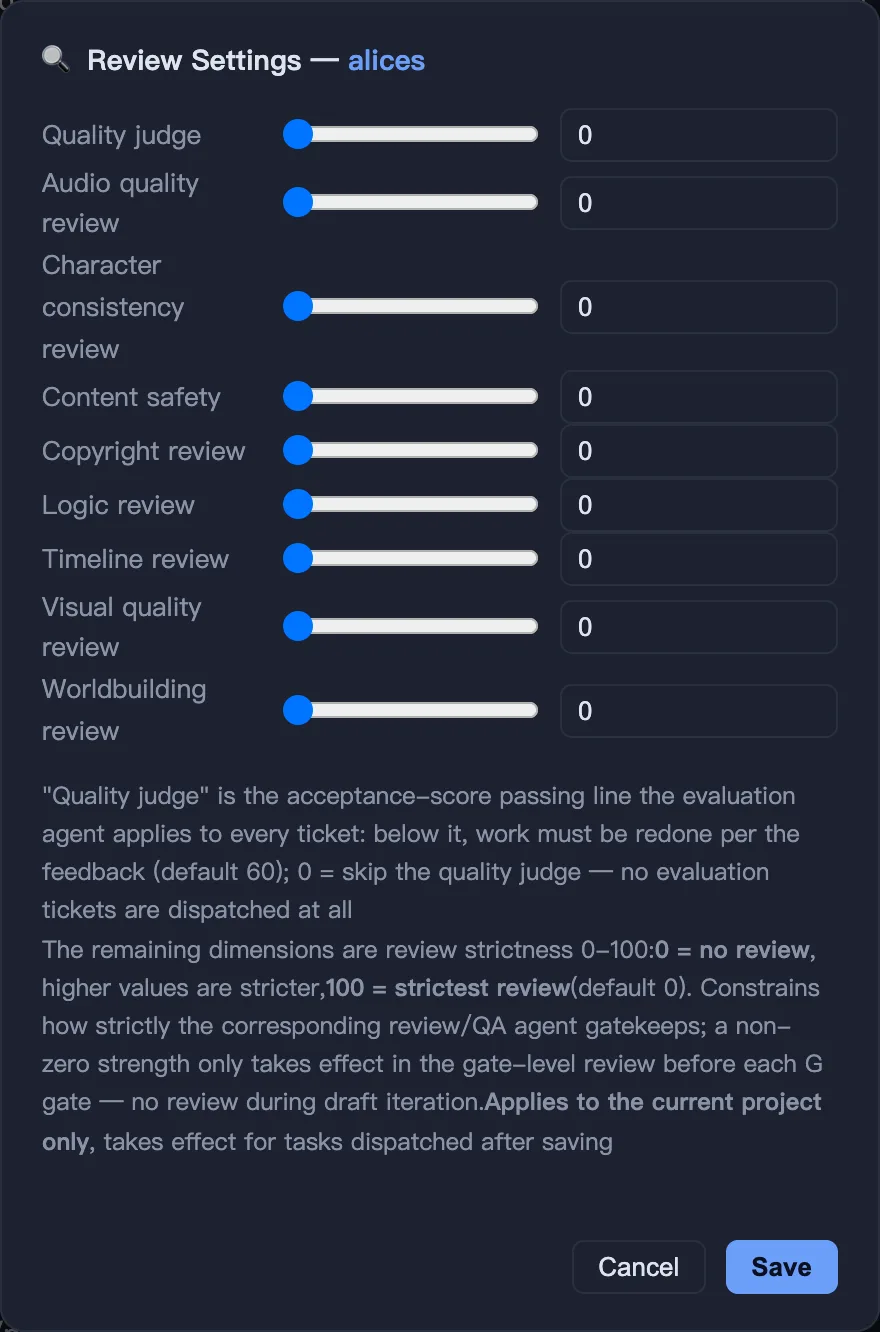
Review Settings decide how hard the QA team checks your project before each gate, and whether the quality judge scores every work order. Stricter reviews catch more problems but take more time and tokens, and send more work back for redoing.
Open 🎛️ → Review Settings, set the values and click Save. They apply to the current project, for tasks dispatched after you save.
Quality judge
Quality judge is the passing score the evaluation agent applies to every work order. Work that scores below it must be redone according to the judge's feedback.
| Value | Effect |
|---|---|
| 0 | The quality judge is skipped. No evaluation work orders are dispatched at all. |
| 1–100 | Passing score. Higher means more work is sent back. |
The dialog's note gives 60 as the default; new projects start at 0.
Review dimensions
Each of the other eight sliders sets the strictness of one QA agent, from 0 to 100:
| Dimension | QA agent checks for |
|---|---|
| Audio quality review | Loudness, clipping, drifting lip sync, a character's voice changing |
| Character consistency review | A character's face, costume or voice changing between shots |
| Content safety | Content that would fail platform review, and the rating it needs |
| Copyright review | Material such as fonts or music without a recorded licence source |
| Logic review | Unresolved setups, sudden personality changes, narration that repeats the picture |
| Timeline review | Events in an impossible order, wrong seasons, characters not ageing |
| Visual quality review | Typical AI glitches: extra fingers, ghosting, flicker, blurred faces |
| Worldbuilding review | Pictures that contradict the world bible |
| Value | Effect |
|---|---|
| 0 | No review for this dimension (default) |
| 1–99 | Higher values are stricter |
| 100 | Strictest review |
A non-zero value only takes effect in the gate-level review before each gate. Drafts are not reviewed while you iterate.
Choosing values
New projects start with every value at 0: no quality judge and no reviews. That is the fastest and cheapest way to get a first cut. Turn reviews on for what matters to the project, for example Character consistency review for a long series, or Content safety and Copyright review before you publish.
How many times failed work is redone automatically is set by Retry count in Agent advanced settings (or with /retry). With 0, a failure is handed to you instead.
Review results land as defects in the project's qa/defects/ folder. See QA reviews and defects.