Upscale
VideoAgents generates and reviews video at a low draft resolution, then brings the approved clips up to the final resolution. The 🔍 Upscale card decides how that last step is done. Generating at draft resolution and upscaling only what you keep is one of the main ways to save money.
When upscaling happens
The project's 🎛️ → Output Settings sets a Draft resolution (480p, 720p, 1080p or 4K) and a Final-cut resolution (480p, 720p, 1080p, 2K or 4K). When the two differ, the final version of each group clip is made by upscaling, not by generating it again. The target size is the final resolution at the project's aspect ratio; frame rate, duration and the audio track come from the source clip.
See Output settings.
Open the settings
- Open ⚙️ → Generation Models.
- Find the 🔍 Upscale card.
- Click a tab to see a method's settings, then choose the method in Active provider in the card's title bar.
Methods
| Tab | What it does | Cost | What you set |
|---|---|---|---|
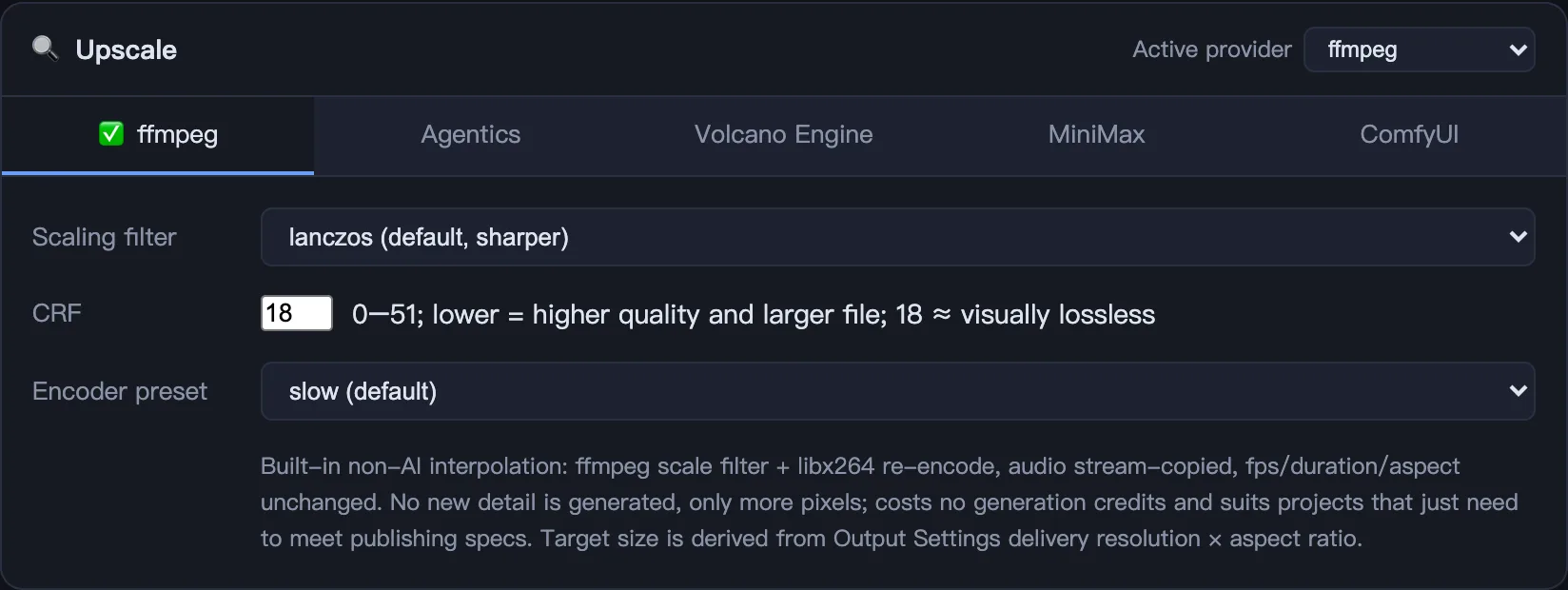
| ffmpeg (default) | Built-in interpolation: more pixels, no new detail | Free | Scaling filter, CRF, Encoder preset |
| Agentics | An AI upscale model on your desktop account | Billed to your account | Model (default scale-seedvr2) |
| Volcano Engine | Seedance 2.5 draft mode: renders the 1080p final from the approved 480p draft | Normal generation price for the final | Nothing on this tab |
| MiniMax | MiniMax Regenerate-2K | Billed by MiniMax | API region, API Key for that region; the model is fixed |
| ComfyUI | A SeedVR2-type upscale workflow | Free locally; billed on Comfy Cloud or RunningHub | Run mode and workflow |
ffmpeg
The default. It suits projects that only need to meet a publishing size.
| Setting | Options | Default |
|---|---|---|
| Scaling filter | lanczos (sharper), bicubic (smoother), spline, bilinear (softest) | lanczos |
| CRF | 0–51; lower means better quality and bigger files; 18 is visually lossless | 18 |
| Encoder preset | ultrafast, fast, medium, slow, veryslow | slow |
Volcano Engine (Seedance 2.5 draft mode)
Selecting this method turns draft mode on. It uses the key and model from the Volcano Engine tab of the Video Model card.
It only works when all of these are true; otherwise videos are generated normally and the log says why:
- The active video provider is Volcano Engine (or BytePlus) and the model is Seedance 2.5.
- Output Settings uses Draft resolution 480p and Final-cut resolution 1080p.
How it works:
- While generating, each group is submitted as a 480p draft. The draft costs the same as a normal 480p video, and its task ID is saved in the clip's
.meta.json. - When the clip is upscaled, Volcano renders the 1080p final from that task ID with the same prompt, references, duration, aspect ratio, seed and audio settings, so the final keeps what you approved. The final is billed as a normal generation.
- A draft task ID is valid for 7 days. After that, the draft has to be generated again.
MiniMax Regenerate-2K
Only for clips made by MiniMax-H3 at 768P. The source must have an audio track, run at 24 fps, have width and height divisible by 32, an area of at most 768×1344 and 107–362 frames (about 4–15 seconds). The 2K result is scaled to the final resolution. The global (minimax.io) and China (minimaxi.com) sites have separate keys.
ComfyUI
The bundled template is scale-seedvr2-api.json; SeedVR2 nodes are built into ComfyUI, so it also runs on Comfy Cloud, though long 1080p+ clips may run out of memory there. On RunningHub, run a SeedVR2-type workflow in your workspace first, then add it with Add workflow; this list of workflows is separate from the Video Model card's. See ComfyUI.
Good to know
- There is no fallback. If the chosen method fails its checks or errors, the upscale task fails and is reported to you. Choose ffmpeg when plain scaling is what you want.
- Each upscaled clip's
.meta.jsonrecords the method. The Final Release page shows a tag per clip: interpolated, AI upscale or not upscaled. - Upscaled clips go through an automatic artifact check (halos, smearing and flicker for interpolation; flicker and similarity to the source for AI upscalers).