Derivative fiction
Derivative fiction writes a new novel set in your project's world: a prequel, a side story, a side line or a what-if. It reuses the world bible, characters and scenes the project already has, keeps them unchanged, and delivers the finished book as EPUB, plain text and one file per chapter.
It comes with VideoAgents as a plugin that is off until you enable it.
Before you start
- A project whose world bible and character list exist:
bible/world.json,bible/dictionary.jsonandbible/characters/index.json, with the world bible signed off (H1). - No such project yet? Create a Film & series project and let it run until the world bible and characters are done. You don't have to make any video.
Enable the plugin
Open ⚙️ → Plugins.
Find derivative-fiction and click Enable.
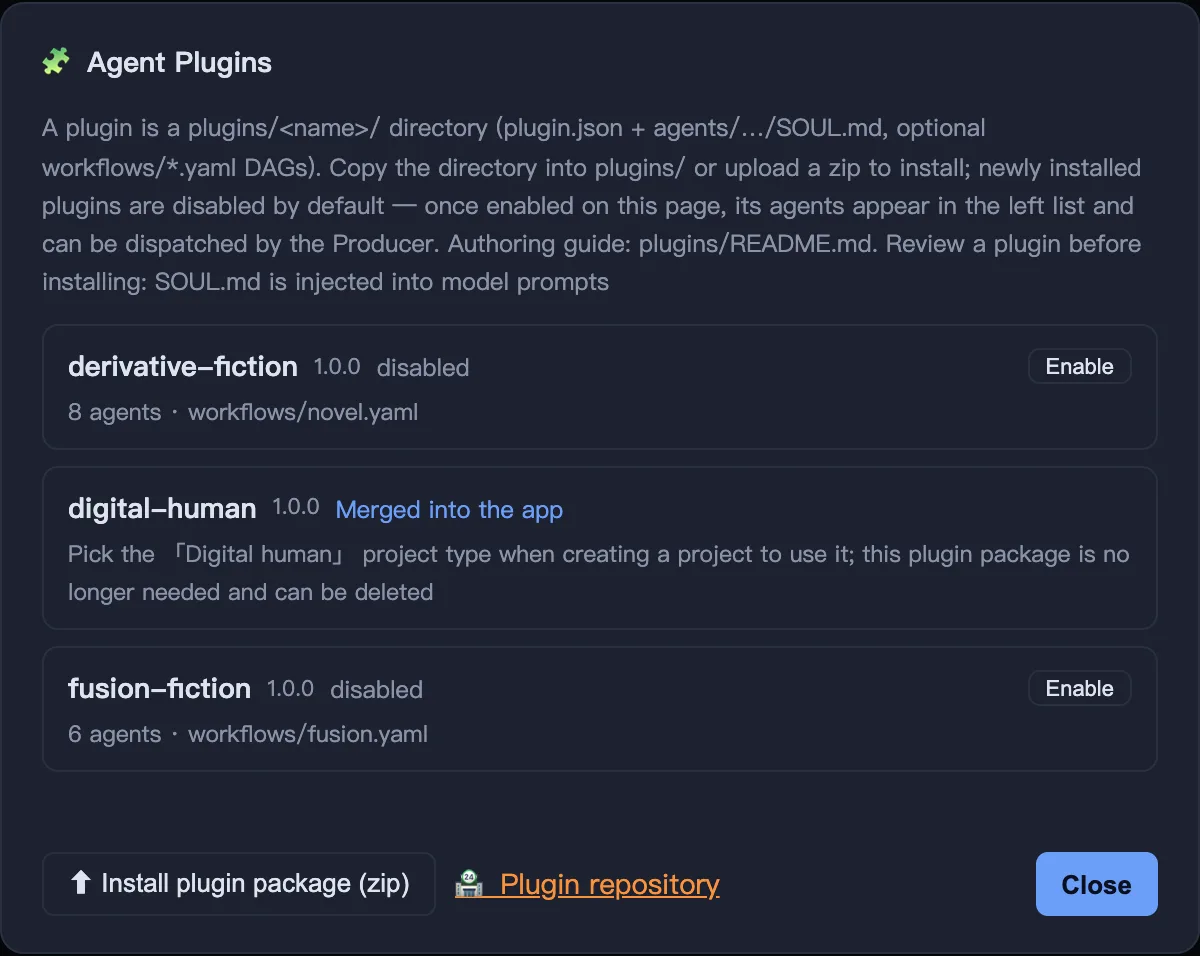
Close the dialog. The plugin's agents now appear in the left panel: the Derivative Fiction group (Derivative Planner, Novel Outline, Prose Style, Chapter Planner, Prose Writer, Line Editor), plus Prose QA and Novel Release.
The plugin ships with the app, so it can be disabled but not deleted. See Install plugins.
Start a novel
Open the project, pick the Workflow Orchestrator and describe the book you want: what kind of derivative work, whose point of view, when in the story it takes place, the writing style, the readers and, if you like, the length. For example:
I want a derivative novel based on this project, using the derivative-fiction
workflow. Keep every character's name, personality and identity, and the story
and places, based on the project's plot, world settings, characters and
locations. Write it in a lyrical, intimate style for adult readers, and drop
the screenplay tone. Choose the length the story needs.
You can also put the idea in 🎛️ → Creative Brief; the planner reads it too.
Workflow and sign-offs
| Stage | What happens | Your sign-off |
|---|---|---|
| nv0 Premise | The Derivative Planner fixes the type of work, the point-of-view character, where it sits on the story's timeline, which canon it may use, what it must not touch, and (for a what-if) where it departs from the original | — |
| nv1 Outline and style | The book's structure, main conflict and character arcs; in parallel a style bible: narrative person, point of view, tone, chapter format | DH1 premise and outline |
| nv2 Chapter plan | The outline is split into chapters with beats, characters and chapter-end hooks | — |
| nv3 Writing | Each chapter is written, then polished by the Line Editor and reviewed. The first chapter goes first as a pilot | DH2 first-chapter read |
| nv4 Full-book review | Plot logic, world consistency, character consistency, prose quality, and an audit of every new setting | DH3 release |
| nv5 Release | The chapters are bound into one book and exported | — |
Files
Everything the plugin writes is in the project's derivative/ folder:
| Path | Content |
|---|---|
derivative/premise.json | The premise: type, protagonist, timeline anchor, forbidden canon, departures |
derivative/outline.json | The book outline |
derivative/prose_style.md | The style bible |
derivative/chapters_plan.json | The chapter plan |
derivative/chapters/chNNN.md | The chapters |
derivative/bible-delta/ | New settings the novel invents |
derivative/publish/ | The bound book, EPUB, TXT and per-chapter files for web-fiction platforms |
Good to know
- The canon stays as it is. The project's
bible/is only read. New characters, places or events go intoderivative/bible-delta/. Moving them into the canon needs a review and your sign-off. - Video work is paused, not lost. When the novel starts, the video stages (voice casting, lighting, art style, screenplay through publishing, and their sign-offs) are marked as skipped, as long as none of them has started. If video work has already started, or you ask for the novel and the video together, nothing is skipped. Ask the Workflow Orchestrator to resume them whenever you want to make the video.
- What the reviews look for: Prose QA checks writing quality, pacing, point-of-view drift, repetition and machine-sounding prose. The built-in logic, world and character consistency reviewers check the story against the canon.
- The Line Editor polishes language only. Plot changes go back to the writer.
- DH1–DH3 are this plugin's gates. They have nothing to do with digital human projects, which have no gates.