Object storage and stock libraries
The 📦 Storage & Image Libraries page holds two things: an object storage bucket that lets VideoAgents hand local files to video services as temporary links, and the API keys for searching free stock images.
Open it from ⚙️ → Storage & Image Libraries. Unlike the Generation Models page, this page has a Save Settings button: click it after making changes.
Object storage
Some services only accept files by public URL. VideoAgents uploads the file to your bucket and sends a presigned link that expires; the bucket itself stays private. It is used for:
- Reference videos for Volcano Ark. Ark requires a public URL for a reference video and rejects inline data, for example when a clip is fixed from a reference video.
- The Virtual portrait library. Registering an image with Ark needs a public URL. See Virtual portrait library.
- Large source clips for MiniMax Regenerate-2K upscaling.
If you don't use these features, you don't need object storage.
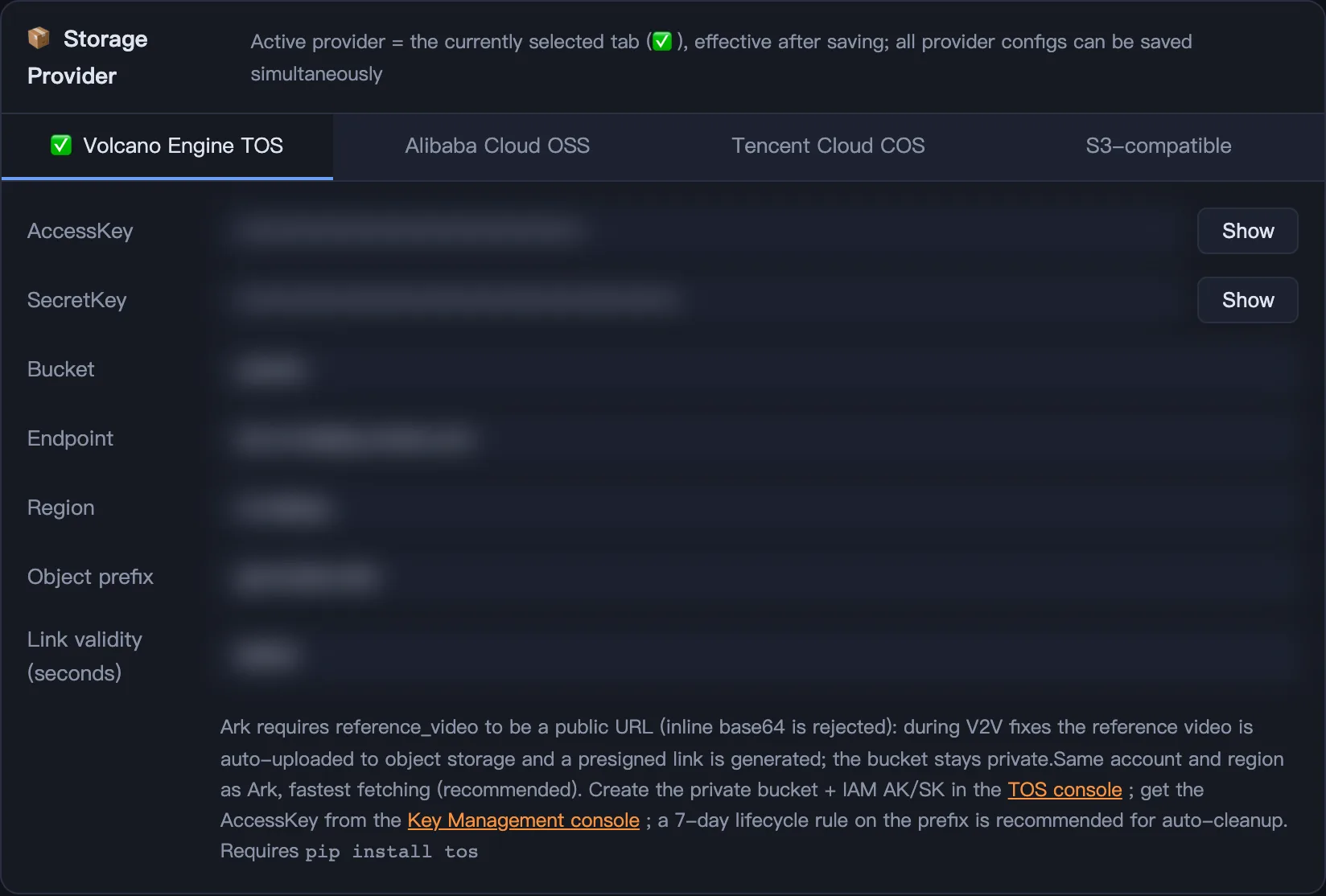
Set up a bucket
- Create a private bucket with your cloud provider, and an access key that can write to it.
- On the 📦 Storage Provider card, click the provider's tab. The selected tab (✅) is the active provider once you save.
- Fill in the fields and click Save Settings.
| Field | What to enter | Default |
|---|---|---|
| Access key / secret key | The account key pair (named AccessKey / SecretKey, AccessKey ID / Secret, SecretId / SecretKey or Access Key / Secret Key depending on the provider) | — |
| Bucket | The bucket name | — |
| Endpoint | The provider's endpoint for the bucket's region | TOS tos-cn-beijing.volces.com, OSS oss-cn-beijing.aliyuncs.com |
| Region | The bucket's region | TOS cn-beijing, COS ap-beijing, S3 us-east-1 |
| Object prefix | Folder inside the bucket for uploaded files | genmedia-refs/ |
| Link validity (seconds) | How long each presigned link works | 86400 (one day) |
Providers
| Tab | Notes |
|---|---|
| Volcano Engine TOS | Recommended with Volcano Ark: same account and region, so Ark fetches files fastest. Create the bucket in the TOS console and the key under Key Management. Use an IAM AccessKey, not an ark- API key |
| Alibaba Cloud OSS | A RAM user's AccessKey ID and Secret. The Endpoint includes the region, so Region can stay empty. A Beijing bucket is close to Ark |
| Tencent Cloud COS | A CAM SecretId and SecretKey. The bucket name must include the APPID suffix, for example mybucket-1250000000. Leave Endpoint empty; it follows the Region |
| S3-compatible | AWS S3, Cloudflare R2, MinIO, Backblaze B2 and others. Leave Endpoint empty for AWS; for R2 use https://<account ID>.r2.cloudflarestorage.com and Region auto. Buckets outside China may be slow or unreliable for Ark to fetch from |
TIP
Add a lifecycle rule that deletes files under the object prefix after 7 days, so old uploads clean themselves up.
When running from source, each provider needs its Python package: pip install tos, oss2, cos-python-sdk-v5 or boto3.
Stock image libraries
The 🖼 Image library API keys card holds the keys for 🔎 Gallery on the Reference Files page, which searches free stock images and adds the ones you pick to a reference section. The footage library's video search uses the same keys.
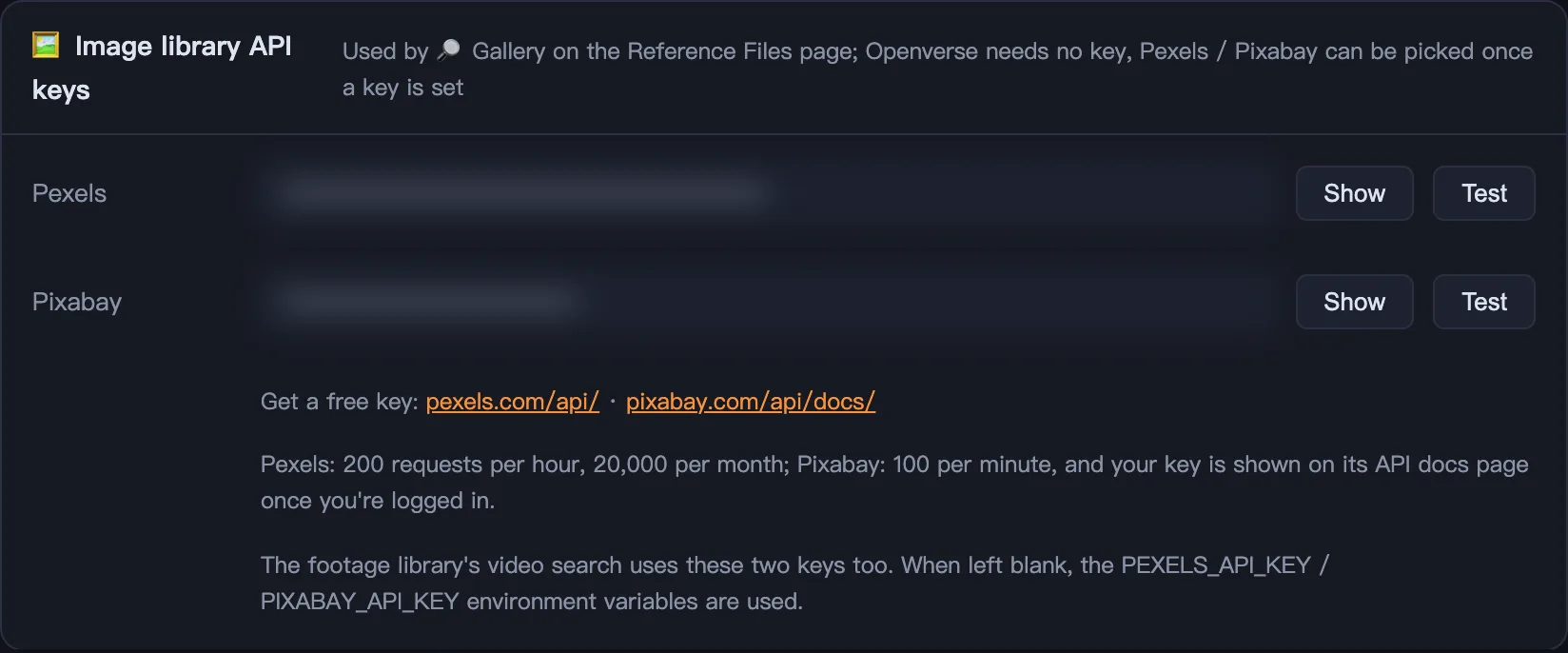
| Library | Key | Limits |
|---|---|---|
| Openverse | Not needed | — |
| Pexels | Free at pexels.com/api | 200 requests an hour, 20,000 a month |
| Pixabay | Free at pixabay.com/api/docs; your key is shown on that page once you're logged in | 100 requests a minute |
- Paste the key next to Pexels or Pixabay.
- Click Test. A working key shows ✓ Works with the number of results for "mountain".
- Click Save Settings.
Pexels and Pixabay can be picked in the Gallery once they have a key. If a field is empty, VideoAgents reads PEXELS_API_KEY or PIXABAY_API_KEY from the environment.
See Stock image search.
Troubleshooting
The Virtual portrait library says the object storage check failed. The active storage tab is missing a bucket or keys, or (from source) its Python package is not installed. Fill in the active tab, save, and reload the library page.
A video provider can't fetch a reference file. Check that the link validity is long enough for the job, and that the bucket's region is reachable from the provider. For Volcano Ark, a TOS bucket in the same region works best.