Choose a project type
The project type is the first thing you pick when you create a project. It decides what you hand in, which agents work on the project, which sign-offs you give, and what you get out at the end.
The five types
| Type | You provide | You get | Pictures come from | Your sign-offs | Wizard steps |
|---|---|---|---|---|---|
| 🎬 Film & series (default) | A novel (you can add it later) | A multi-episode series | Image and video models | H1–H5, plus several per episode | 5 |
| 🧑💼 Digital human | A conversation recording, or voice samples and a script, plus one photo per speaker | A lip-synced talking-head video | Your digital-human provider | None | 3 |
| 🖥️ Motion graphics | A topic or script and one style | A code-drawn short, best at 30–60 seconds | A web page the agents write, rendered frame by frame | CVH1 (optional), CVH2 | 4 |
| 🎙️ Audio to video | A narration recording and its script | One video whose soundtrack is your recording, unchanged | Image and video models | AVH1–AVH5 | 4 |
| ✂️ Mashup | A script, a footage library, and optionally a narration recording | One video cut from your own footage | Clips from your footage library | MH1–MH3 | 3 |
Audio to video and Mashup are under More on the first wizard step.
Digital human, motion graphics, audio to video and mashup projects each make one video, stored as episode ep01. To make more videos of these types, create more projects.
Works that plugins add
Three more kinds of work run inside an existing project instead of being a type you pick in the wizard:
| Work | What it does | Where it comes from |
|---|---|---|
| Derivative fiction | Writes a new novel (prequel, side story, what-if) from the project's world bible and characters | Bundled plugin, off until you enable it |
| Fusion fiction | Fuses your project's story with the world of a second book | Bundled plugin, off until you enable it |
| Audio drama | Turns the project's scripts and voices into an audio drama or podcast | Plugin repository |
All three build on a film and series project whose world bible already exists.
Which one fits
- You have a novel or a story to adapt into episodes: Film & series.
- You have a podcast, interview or dialogue recording and photos of the speakers: Digital human. No recording? Pick Cloned voices as the voice source and write the script.
- You want a short launch film, explainer, data story or brand film, and you don't want to pay for video generation: Motion graphics.
- You have a narration recording (a history story, an explainer, a podcast) and want AI pictures on it: Audio to video.
- You have a script and a library of your own video clips, and want an edit that cuts on the narration: Mashup. Build the library first in the Footage Library.
Pick the type in the wizard
Click the project name in the top bar to open the Project dialog, then click + New Project….
On Step 1 · Project type, click a card. The box under the cards describes the selected type and what you need to provide.
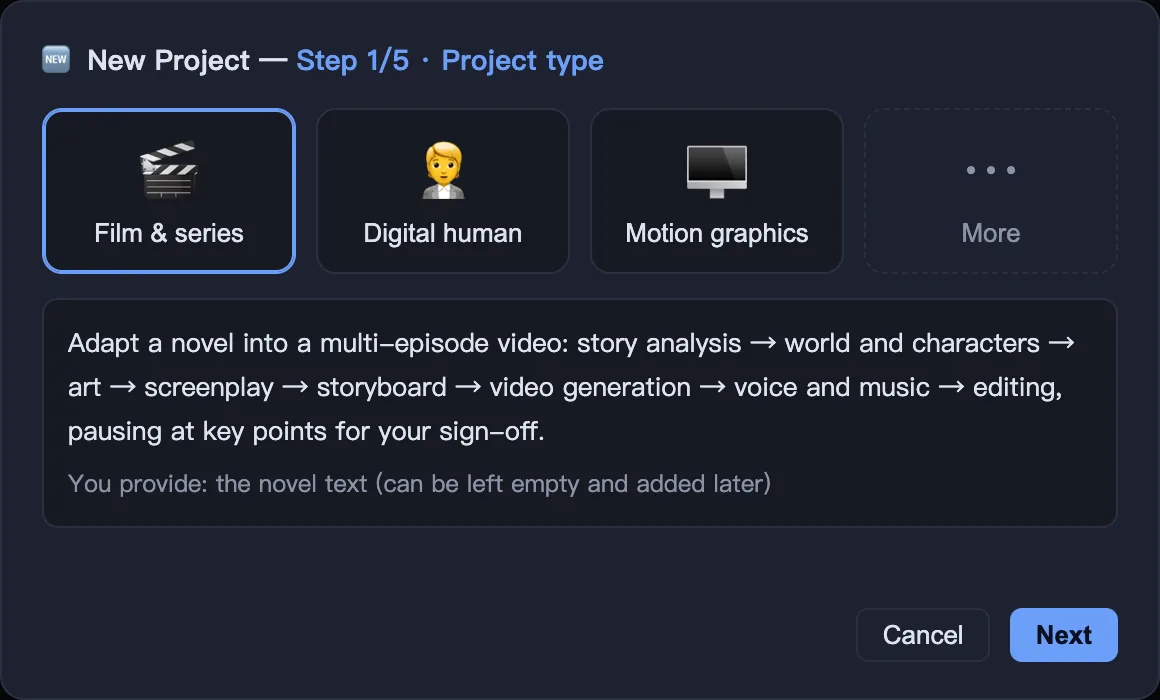
To see Audio to video and Mashup, click More. A second row opens with the two types; click More again to close it. While one of them is selected, More stays highlighted.
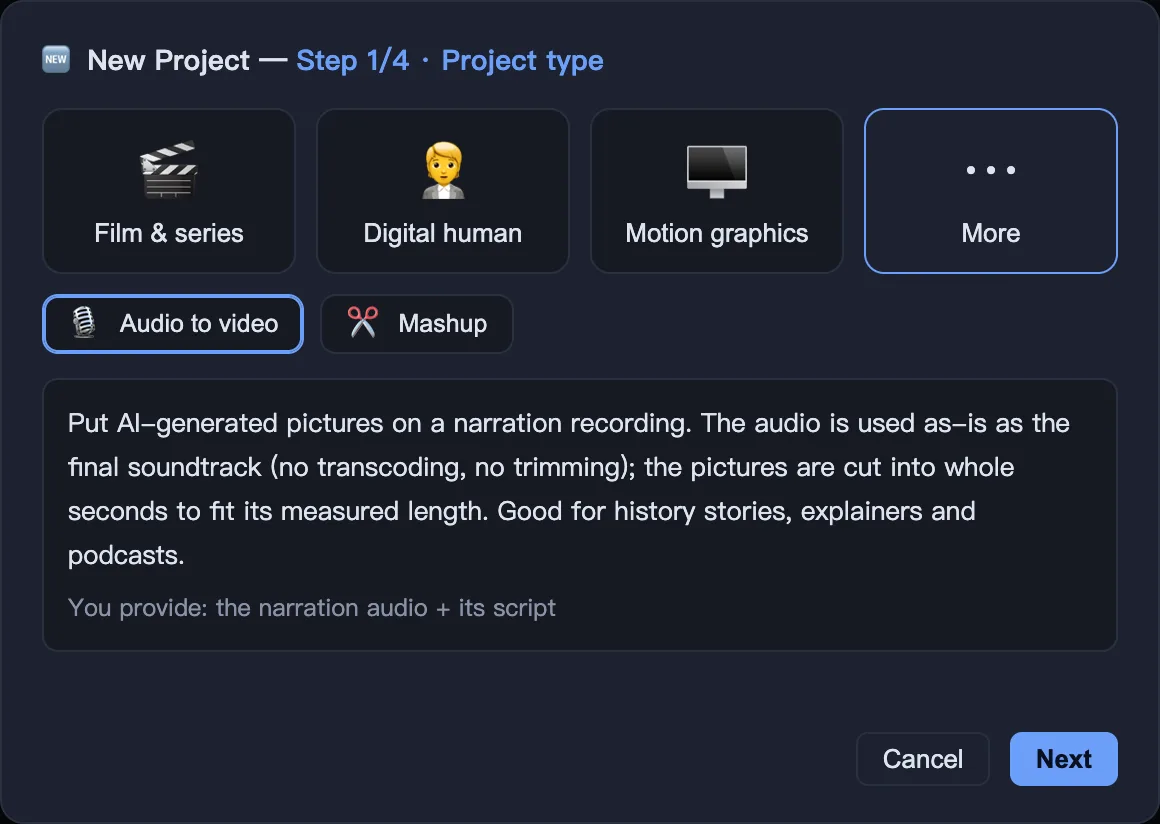
Click Next. The number of steps in the title changes with the type, and the later steps only show the fields that type uses.
Fill in the remaining steps and click Create. Each type's guide lists its fields.
For everything else in the wizard, see New project wizard.
What happens after you create the project
- Film & series: the Workflow Orchestrator starts right away. It sets up the folders, cleans up the novel text and splits it into chapters, then reminds you to upload reference material on the 🖼 Reference Files page.
- The other four types: the files you chose in the wizard are uploaded into the project's reference files first. The Workflow Orchestrator then checks your materials and reports what is missing. It waits until you reply in the chat that it can start, then plans and dispatches the work for that type.
Good to know
- The type can't be changed later. It is saved in the project's
settings.jsonwhen you create the project. To try another type, create a new project. - Film-only switches are turned off for the other types. Narration, dialogue voices, sound split, background extras (NPCs), the 3D whitebox, long takes, and the intro, outro and teaser are off. Transitions are set to minimal with no episode close, and episode length is set to automatic. These switches belong to the novel-to-video workflow, and several of them would re-encode or shift an audio track that must stay unchanged.
- The left panel shows only the agents you need. It lists the shared agents plus the team of the current project's type, for example the Footage Scout and Footage Curator in a mashup project.
- Reference Files adapts to the type. In non-film projects, the Narration audio category (
refs/audio/) comes first. Digital human projects also get a Cloned voices category (refs/voices/). - The Project dialog shows each project's type in its Type column.
- Older projects created before project types existed are recognised from the files they already contain. If nothing matches, they are treated as Film & series.